2007-07-13

Pidgin gems

Pidgin keyboard shortcuts cannot be edited by using a configuration dialog, but they can be edited "by hand".

I wanted two actions to remap: closing the conversation dialog with Escape key and show/hide offline buddies with Control-H.

This can be achieved by editing the ".purple/accels" file, which is located in your home directory on Linux and in "{drive letter}:\Documents and Settings\{user name}\Application Data" on Windows, and inserting the following lines:


(gtk_accel_path "<PurpleMain>/Buddies/Show Offline Buddies" "<Control>h")
(gtk_accel_path "<main>/Conversation/Close" "Escape")

2007-03-29

CMake support for SciTE

I have added support for CMake in SciTE text editor. It should be available in the upcoming 1.73 release.

Here is a picture of a rather small CMake script file:

2007-02-02

Eclipse C++ Programming with MinGW

MinGW brings the powerful (free) GNU C++ compiler to the Windows world. The only drawback is that you get only command line tools, no GUI interface. While this is OK only for small programs, it becomes an issue when you need a debugger and / or the project contains more than one source file.

That's where Eclipse kicks in. With the CDT plug-in you can edit, compile and debug your C++ programs.

These are the required downloads (compiler, debugger and editor):
  • MinGW and GDB installers from here (I've downloaded MinGW-5.1.3.exe from MinGW->Current section) and from here for the latter (I've downloaded gdb-6.3-2.exe from Snapshot section)
  • EasyEclipse for C and C++ from here (I've downloaded release 1.2.1.1).

After creating a C++ project in Eclipse you will notice that there is warning complaining that cygpath is not found, it's a benign warning since we're not using Cygwin to build programs.

Eclipse expects that g++, make and gdb executables to be in PATH, since I don't like to pollute the global PATH environment variable with MinGW executables I've created a "launcher" for Eclipse that adds MinGW to PATH before running Eclipse.

Here is the code (eclipse.js):
var program = "eclipse.exe";

// Add the arguments
for (var i = 0; i < WScript.Arguments.length; ++i)
{
    program += " " + WScript.Arguments.Item(i);
}

var shell = new ActiveXObject("WScript.Shell");

// Add mingw to path
var env = shell.Environment("PROCESS");
var path = "c:\\mingw\\bin;";
path += env("PATH");
env("PATH") = path;

// Execute the program and don't wait for completion
shell.Exec(program);


Copy the "launcher" to Eclipse directory (c:\Program Files\EasyEclipse for C and C++ 1.2.1.1) and use it from now on to start Eclipse.

We need one more step to get everything to work, change the C/C++ build command from make to mingw32-make (or rename mingw32-make it to make in c:\mingw\bin, if you want the eclipse project to be crossplatform) like in the picture bellow:


That was all. Now we have a full C++ IDE. Now we can develop console applications or Win32 C GUI applications. For C++ GUI applications we can use the free (GPL) Trolltech Qt library.

2007-01-15

It's not a bug, it's a feature

In my previous post I've said that I found a C# bug, now I've found out that it's not a bug, that behavior is by design.

It's written in the C# standard, around page 88 (110 real page):

[Note: As specified above, the declaration space of a block cannot share names with the declaration spaces of any nested blocks. Thus, in the following example, the F and G methods result in a compile-time error because the name i is declared in the outer block and cannot be redeclared in the inner block. However, the H and I methods are valid since the two i’s are declared in separate non-nested blocks.

class A
{
    void F() {
        int i = 0;
        if (true) {
            int i = 1;
        }
    }
    void G() {
        if (true) {
            int i = 0;
        }
        int i = 1;
    }
    void H() {
        if (true) {
            int i = 0;
        }
        if (true) {
            int i = 1;
        }
    }
    void I() {
        for (int i = 0; i < 10; i++)             H();         for (int i = 0; i < 10; i++)             H();     } }

end note]


I hate compilers that impose stupid constrains.

2007-01-10

My first C# bug

Consider this piece of code:
class Foo
{
    public static void Bar()
    {
        if (true)
        {
            int i = 0;
        }
        int i = 1; // CS0136
    }
    
    public static void Main()
    {
    }
}


Any C (C++, Java) coder will say that there is nothing wrong with that code.
I thought that was the same in C# language, I was wrong.
Here is the output from Visual Studio .NET 2003:
test.cs(9,13): error CS0136: A local variable named 'i' cannot be declared in this scope because it would give a different meaning to 'i', which is already used in a 'child' scope to denote something else

test.cs(9,13): error CS0103: The name 'i' does not exist in the class or namespace 'Foo'

Here is the output from Visual Studio 2005:
test.cs(9,13): error CS0136: A local variable named 'i' cannot be declared in this scope because it would give a different meaning to 'i', which is already used in a 'child' scope to denote something else


While VS2005 got better than VS2003, but it's still in error.

Here is what MSDN has to say about error CS0136

Compiler Error CS0136A local variable named 'var' cannot be declared in this scope because it would give a different meaning to 'var', which is already used in a 'parent or current' scope to denote something else
A variable declaration hides another declaration that would otherwise be in scope. Rename the variable that is declared on the line that generated CS0136.
The following sample generates CS0136:

// CS0136.cs
namespace x
{
   public class a
   {
      public static void Main()
      {
         int i = 0;
         {
            char i = 'a';   // CS0136, hides int i
         }
         i++;
      }
   }
}


Well, in our case i variable was declared after the if block and not before it. It doesn't make any sense to say that the second i is in the if's i scope.

I know it's a bad practice to reuse the same name for more variables in a function, but I don't expect that to be an error, just a warning at the highest warning level.

What's sad is that the alternative C# implementation, naming Mono, has the same behaviour. Here is the output:
test.cs(9,7): error CS0136: A local variable named `i' cannot be declared in this scope because it would give a different meaning to `i', which is already used in a `child' scope to denote something else
test.cs(7,8): (Location of the symbol related to previous error)


They've copied Microsoft's implementation bug by bug (for compatibility :). The sad part is that this bug was reported to Mono in 2003 but they've closed it saying it's not a bug. Here is the link to that bug

By the way I've posted a comment there, just to complain about it :)

It seems that this is not a bug, but a feature, read more about it here

2006-12-22

NTFS3g on OpenSuse 10.2

I have installed openSuSE 10.2 on my brand new computer (bought more than a month ago).

I'm happy with openSuSE 10.2, YaST has been improved, it gives more feedback to the user. Now there is an native KDE updater, so I don't have to install a GNOME Mono application, the source repository knows about YUM repositories, and so on and so forth.

After installing it I've noticed that my Windows XP wasn't booting anymore. The fact was that I had two NTFS partitions, the first had the boot loader and boot.ini and the second had Windows files. The second partition number had shifted after creating two linux partitions, so Windows boot loader got confused and refused to work.

Well I said, it's easy, all I have to do is to modify boot.ini and change multi(0)disk(0)rdisk(0)partition(2) to multi(0)disk(0)rdisk(0)partition(4). There was one problem, that the file resided on a NTFS file system. Linux has readonly access by default.

Eeeek, but then I remembered that there is something new out there ntfs-3g that can mount read/write a NTFS file system.

I've searched the net and found that I had to install fuse, fuse-ntfsprogs and ntfs-3g packages. The first two came with openSuSE 10.2, the latter from GURU 3rd party repository. GURU had a ntfs-3g version from 20061115, which was too old for fuse 2.6.0 that came with openSuSE 10.2. Eeeek.

The solution was to get the latest and greatest sources and the RPM spec files from fuse and ntfs-3g to create my own rpm packages.

I've got fuse 2.6.1 and ntfs-3g 20061218, after hacking the RPM spec files I've managed to create two nice rpm packages. The problem was that the command ntfs-3g /dev/hda1 /windows/C was still failing. Eeeek again.

The problem was with the fuse kernel module, it was too old. openSuSE 10.2 fuse spec file didn't create a kernel module because kernel included the fuse module. I've hacked fuse RPM spec file to --enable-kernel-module, all nice until the very last step when the packages were to be created. Because fuse.ko module was still in RPM's database, RPM could not create a new module that contained fuse.ko because of some incompatibilities later on. Tired of eeeking.

Solution was to copy the new fuse.ko module and store it somewhere, then put back --disable-kernel-module in fuse RPM spec and run a rpmbuild -ba fuse.spec. Then I've copied fuse.ko over the one from /lib/modules/linux-2.6.18.../kernel/fs/fuse/fuse.ko.
After installing fuse and fuse-devel packages I've build ntfs-3g package, installed it and the command: ntfs-3g /dev/hda1 /windows/C was working!

In order to always mount read/write I've modified /etc/fstab and instead of ntfs I've put ntfs-3g and removed the ro (read only) flag from the next option on the same line.

After modifying boot.ini and a reboot I got my Windows XP back!

In conclusion, I like openSuSE they didn't made all the things easy, most of them are easy but some issues are still to be fixed, like the one above. One can say that this is the price to pay for bleeding edge software, but every now and then it's fun to hack something, to remember the good old days of hacking Slackware to do the things you wanted.

2006-12-03

The DaVinci Code

I've just finished reading The DaVinci Code by Dan Brown. I've done this after watching the movie twice, at the cinema and the director's cut on my computer.

I've enjoyed the book more, in the movie they've made some hacks to keep the plot on the feet.

If you haven't read the book please do so ;)

2006-11-05

Winter


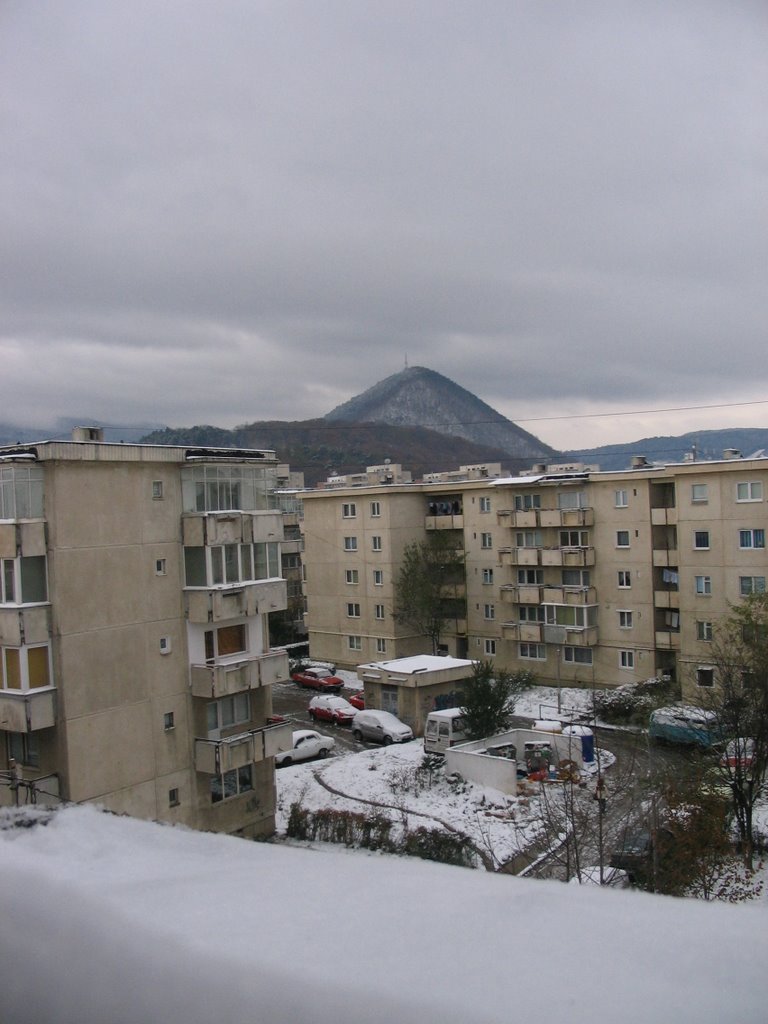
Winter came too soon this year, I mean it's just 5 November! and the picture was taken in the morning.

2006-08-02

DVB-T Modulator

Recently I've got to play with Fabrice Bellard's low cost analog and digital tv modulator.

It took me a while to get it working, it didn't work with nvidia cards so I've tested a ATI Radeon 9200, like Fabrice mentiones on his webpage. What Fabrice doesn't say is that you need to use "radeon" driver, not vesa, not ati.

I've used a Pinnacle 320e receiver, which can scan the two DVB-T channels but no preview.

That was sad, I was expecting it to work, but now that it doesn't work, how to debug it? you can't, Fabrice didn't publish the source code.

2006-04-29

2006-04-04

MSDN

As a C++ programmer when you want to use MSDN just for C++ and STL the filter "Visual C++" is not helping. You get all sort of matches but not the ones you need.

You need to filter just the right stuff. You need to go to Help->Edit Filters and create a new filter with these contents:
("DevLangVers" ="kbLangCPP") or ("TechnologyVers" ="kbSTL")

Now if you want to search for map, you'll get the right match.

2006-03-29

Windows XPE

I have just finished hacking my first Windows Live setup - I have accelerated video drivers, audio, I can see movies using ffdshow, Mozilla Firefox, Total Commander, Norton Ghost, DirectX.

I have used BartPE and Sherpya WinPe Stuff.

The hard part was getting NVidia drivers to work and then the sound drivers. Now I can say that I have a better undestanding of manual loading of drivers on Windows XP :)

Pretty nice stuff, but you have to work to get it working...

2006-03-17

Viewing CHM files from a Network Drive

This issue was bugging me for a long time, now I found out how to fix it.

All you need is this key: HKEY_LOCAL_MACHINE\SOFTWARE\Microsoft\HTMLHelp\1.x\ItssRestrictions, with a DWORD entry MaxAllowedZone set to 1.

This was a side effect for a security patch from Microsoft.

2006-03-16

Root Power

Writing rootkits is fun. I needed to a device driver for Windows XP that could hide a process, disable keyboard and mouse and hide directories, these are some definitions for a rootkit.

There are some inconveniences, like resetting the operating system because you did something wrong... things don't work like in userland.

Tools like Compuware VToolsD (for Windows 9x) and Compuware Driver Studio (for Windows NT+) make your life way easier. For the first you don't have to write code in assembler, you can write code in C and C++ and for the latter you can write code in C++.

I guess my next root kit, after the one for Windows 9x and the one for Windows XP, would be for Linux, but on Linux having access to the source code of the operating system is a big bonus.

In the end it's not that hard, with proper tools and with proper knowledge you can do anything :-)

2006-03-10

Tarom

And now for my fist blog photo...

Brainbench

I've taken some Brainbench tests, now I have more than "Typing Speed & Accuracy" results :) Here is my public transcript.

And now for some pictures:

2006-01-14

xterm fonts and colours

The default settings for xterm in OpenSUSE 10 are crappy, the font is small, white background, black foreground... yucky.

Ok, it's not that obvious to configure X applications, they don't have menus, dialog boxes like the KDE applications. You have to edit ~/.Xresources and add some lines and then run xrdb ~/.Xresources (you can use -merge to merge the settings). You can find out what lines to add to ~/.Xresources by having a look at /user/X11R6/lib/X11/app-defaults/XTerm and by consulting the manual page (man xterm).

Here is what my ~/.Xresources file contains:
xterm*background: black
xterm*foreground: white
xterm*faceName: Andale Mono
xterm*faceSize: 9
xterm*geometry: 100x30
I usually use konsole, but some applications open xterm for shell access. SlickEdit is one of those applications ;)

2005-12-07

Portable Thunderbird

Now I can have all my emails, contacts, extensions, settings into one folder, all thanks to Portable Thunderbird. Easy to backup, just archive one folder and that's it. Did your harddrive crash, your laptop stolen? No problem, just unpack the archive and you're back in business.

You can find Portable Firefox on the same site, and the story is the same: all your bookmarks, extensions, settings in one folder on your 1GB USB pen drive...

2005-12-06

8051 Programming is fun

I've completed the practical part of the microcontroller course at the University with a house alarm project. The objectives were to sense if the door or window was broken and to program how to arm the alarm. Feedback was given on a led display, input/output was done through the serial port.

Man it was exciting! The programming was done in assember, that was a pain in the... but the "firmware" was only 381 bytes long, I haven't tested a C program though.

All that matters is that I had allot of fun programming the 8051 microcontroller! School is fun. Ha!

2005-12-05

Portable Gaim

While reading the Gaim Windows section I've found out about Portable Gaim (on the bottom of the page), it reminded me about the days when you had to reinstall Windows 95 every month and the less applications you had to reinstall the better.
"It is relatively easy to set up Gaim to run from a USB Drive. Most of Gaim is very good about not assuming that it is installed; a slightly customized launcher makes it all come together nicely."

Gaim has these features that make it indispensable:
  • I can use the programmer's layout of the official romanian keyboard layout
  • it can use a spellchecker (this doesn't work at this moment in the portable version)
  • it can handle multiple instant messanging protocols
  • it works on multiple operating systems
  • you can carry it on your USB pen drive
I'm hoping for Gaim 2.0 as a Christmas gift.