2012-08-05

Romanian diacritic marks in movie subtitles

One important "screen" is the TV screen. In Romania the movies are not dubbed, they are subtitled. This means that all dialogs are presented as text for the viewer to read and understand the movie.

I remember I wanted to learn how to read because I wanted to read the movie subtitles.


Television


By using www.cool-itv.net, which uses P2P SoapCast tehnology to distribute cable TV stations I was able to analyze which Romanian diacritics were used in movie subtitles.

Below you will see some screenshots of some TV stations:

Almost all of the TV stations used the old diacritics - S and T cedilla (şŞţŢ) - with the exception of the last one which uses the correct diacritics - S and T comma below (șȘțȚ).

The state-owned public TV broadcasters (TVR1, TVR2 and so on) did their homework and their software can handle Unicode characters and they are using the correct Romanian diacritics. Chapeau!

At least some of them use the same diacritic: Discovery, Animal Planet, ProTV, Pro Cinema, and they did not mix s cedilla with t comma below like HBO, Antena1, and Kanal D.

One interesting case was TCM which used  A Caron (ǎ) instead of A Breve (ă). Also Prima used A Tilde (ã) in their promotional clips.

The usage of the old diacritics is due to the fact that the specialized TV software used is some old software written before Microsoft started promoting Unicode.

Old software and subtitle standard from 1991 is responsible to the major usage of incorrect Romanian diacritics. The 1991 standard is the EBU (European Broadcasting Union) TECH. 3264-E  which doesn't support Unicode characters.

Hopefully all this will change with the arrival of the new EBU-TT Subtitling Specification which was announced on 31st of July 2012. In a couple of years all TV stations will be using the correct Romanian diacritics.

AVI / MKV Movies


The same grim story is presented in the underground movie subtitles scene, for example if you go to http://www.opensubtitles.org/ro and download for example Iron Sky Romanian subtitle you will get only Windows-1250 codepage subtitles. By the way Iron Sky is a cool movie :)

Nobody uses Unicode to encode the subtitles, which would not require the user to configure their media player of choice to Windows-1250 / Central European / ISO-8859-2 as default code page for subtitles.

I've created a small Windows tool (133KBytes) which automatically converts subtitles from old diacritics to correct diacritics. The tool can be downloaded from here.

Below you have a screen shot of the tool:

I hope Unicode subtitles will be more popular in the future. There is no need to stick to ANSI code pages!

2012-06-18

Portable qmake

According to Wikipedia qmake "is an utility that automates the generation of Makefiles [...] It integrates with the Qt framework"

You can also use it without Qt though, this is achieved by adding the following line CONFIG -= qt in the *.pro file.

In order to use qmake in a portable way one needs to:
  1. Copy the qmake executable, which is statically linked, into a folder named bin
  2. Create a qt.conf file near to qmake.exe containing just the following:
  [Paths]
  HostPrefix=..
  3. Copy the mkspecs folder

I have copied all the above in C:\Program Files (x86)\qmake-2.01a\ and put a qmake.cmd in a bin folder which I have in path. Zipping the above folder generated an qmake-2.01a.zip which is just 996 KB in size.

qmake.cmd is nothing more than just: @"c:\Program Files (x86)\qmake-2.01a\bin\qmake.exe" %*

qmake isn't just an utility that automates the generation of Makefiles it can also generate Visual C++ project files. This is as easy as running: qmake -tp vc

You can find all that qmake can do in the qmake Manual.

You can also use qmake without knowing too much about it, it can generate a project (pro) file from existing code.

Let's say you have this hello.cpp

#include <windows.h>

int __stdcall WinMain(HINSTANCE, HINSTANCE, LPSTR, int)
{
     ::MessageBox(0, L"qmake works!", L"info", MB_OK | MB_ICONINFORMATION);
     
     return 0;
}
 
  1. Put this hello.cpp in a test folder
  2. Type qmake -project, which will generate a test.pro file
  3. Edit test.pro and add CONFIG -= qt
  4. Type qmake -tp vc, which will generate a Visual C++ project file

There you have it, starting from a cpp file and ending up with a Visual C++ project file in three easy steps!

By running release\test.exe on a Windows 7 you will see the following:

The release\test.exe has 7KB. Let's say I want to deploy this executable on other machines, do I have some dependencies? By using dumpbin we can answer this question.

$ dumpbin /imports test.exe | findstr ".dll"
    USER32.dll
    MSVCR90.dll                   96 __dllonexit
    KERNEL32.dll

How do we get rid of the MSVCR90.dll dependency? It seems this is as complicated as editing a text file, namely qmake-2.01a\mkspecs\win32-msvc2008\qmake.conf.  And there change -MD and -MDd into -MT and -MTd. Now release\test.exe has increased to 41KB but there is no MSVCR90.dll dependency.

If you don't feel comfortable with editing this "system" file, you can copy it and then include the modified qmake.conf file in your pro file. Or you can use the "-spec" command line parameter to point qmake to the modified qmake.conf file.

As you can see qmake is very flexible and it can accommodate to a large number of compilers, just have a look in mkspecs folder.

If you like qmake, you will also like jom - the parallel make tool for Windows, which can be obtained from here.

2012-04-19

(ro) Tastaturi românești II

În articolul Tastaturi românești am trecut în revistă oferta marilor firme de calculatoare Dell, HP, Lenovo, și Acer cu privință la tastatura românească.

Nici una din marile firme nu avea în ofertă o tastatură conformă standardului românesc  SR-13392:2004, standard implementat de Microsoft o dată cu Windows Vista.

În articol nu am analizat și oferta firmei Fujitsu, cu toate că am menționat că Fujitsu Siemens avea în ofertă o tastatură cu primul standard românesc de tastatură SR-13392:1998.

Ei bine firma Fujitsu are în ofertă o tastatură conformă standardului românesc SR-13392:2004, și anume KB400 RO, pe numele ei complet S26381-K551-L433. Tastatura KB400 RO poate fi cumpărată de la 8.33€ conform geizhals

Pe forumul sitului secarica.ro dorin a publicat câteva poze cu această tastatură, poze pe care le-am inclus mai jos:


Chiar dacă observăm că tastatura are ș și ț cu sedilă și că ă-ul nu are căciulița prea rotundă, avem de-a face cu o tastatură conform standardului, poate firma Fujitsu va corecta acest sughiț într-o versiune ulterioară.

Din păcate avem de-a face doar cu aranjamentul primar, nu și cu cel secundar (cel care generează diacriticele ținând apăsată tasta AltGr), aranjament pe care eu îl prefer.

Nu ne rămâne decât să ne înclinăm în fața firmei Fujitsu, prima mare firmă de calculatoare care produce tastaturi conform standardului românesc!

P.S.  Cristian Secară a observat că tastatura Fujitsu de mai sus este conformă cu primul standard românesc de tastatură, și anume cu SR-13392:1998, și nu cu cel din 2004.

Principala diferență față de cel din 2004 este că ; și : sunt accesibile doar cu AltGr pe pozițiile din US English (iar în cel din 2004 sunt și cu Shift pe , și . în detrimentul < și >), iar ghilimelele românești sunt pe nivelul 3 și 4 (iar în cel din 2004 pe nivelul 1 și 2 în detrimentul ` și ~). În rest în 2004 sunt doar completări sau precizări, nu modificări.

Cele de Siemens/Fujitsu au și ceva în plus față de standardul strict din 1998, anume accentele de tip tastă moartă (mai puțin pe 0). Cea de la Fujitsu văd că are și o problemă, anume Alt din dreapta scrie doar Alt (în loc de AltGr ca la orice tastatură europeană).
Destul de jenant ca după opt ani de la publicarea standardului, nu există o firmă care să aibă în ofertă tastaturi conforme cu standardul SR-13392:2004 (ambele aranjamente), mai ales că tastaturile conforme aranjamentului secundar (Romanian Programmers) pot înlocui cu succes toate tastaturile English-US existente pe piața românească.

Ca exercițiu deschideți linkurile de mai sus în două file/taburi și alternați între ele, nu există nicio diferență în afara faptului că AltGr este Alt în aranjamentul English-US.

Actualizare Octombrie 2013

Pentru cei care își doresc o tastatură Română Standard sau Română Programatori și sunt dispuși să plătească un pic mai mult (~170€) le recomand să citească articolul Tastatura RO-PRO. Pe scurt este vorba de o tastatură mecanică WASD la comandă. Tastatura este superbă, o recomand cu căldură.

2012-03-23

(ro) Kmkz sunt în față!

Săptămânalul Kamikaze și-a schimbat înfățișarea în mediul electronic. Am făcut câteva teste pe tableta HP TouchPad rulând Android 2.3 (Cyanogen Mod).

Android este unul dintre sistemele de operare, foarte utilizate pe dispozitivele mobile, care nu poate afișa ț-ul cu virgulă.

Săptămânalul Kamikaze este unul dintre singurele săptămânale scrise în preponderență cu diacriticele corecte (ș și ț cu virgulă). Versiunea precedentă a ediției online se vedea astfel (în Firefox):


Se pot observa cu ușurință pătrățelele de unde lipsește ț-ul. Varianta actuală arată astfel (tot în Firefox):


Noua variantă arată cu mult mai bine, aproape perfect dacă n-ar fi fost pătrățelele din colțul stânga jos.

Dar de ce se văd restul de ț? Kamikaze este primul săptămânal din România care folosește tehnica @font-face de afișare a diacriticelor, tehnică pe care am descris-o în articolul Browsere Moderne II (29.04.2010), tehnică care implică descărcarea unui font de pe situl Kamikaze și folosirea lui de către browser pentru a randa pagina.

Kamikaze folosește familia de fonturi Futura. Mai jos avem un fragment din codul CSS:
@font-face {
  font-family: 'FuturaRoCEPlain';
  src: url('fonts/futura/futuraroce-webfont.eot');
  src: url('fonts/futura/futuraroce-webfont.eot?#iefix') format('embedded-opentype'),
    url('fonts/futura/futuraroce-webfont.woff') format('woff'),
    url('fonts/futura/futuraroce-webfont.ttf') format('truetype'),
    url('fonts/futura/futuraroce-webfont.svg#FuturaRoCEPlain') format('svg');

  font-weight: normal;
  font-style: normal;
}
Capturile de ecran de mai sus au fost făcute cu Firefox 10.0.3. Am testat și alte browsere, precum:

Browserul implicit cu care vine Android 2.3 (bazat pe motorul Webkit):
 
Dolphin 7.6.0 (bazat pe motorul Webkit)


Opera 12.00

La browserele de mai sus s-a afișat inițial versiunea mobilă a saitului, versiune care nu vine cu o protecție la diacritice, și ț-ul lipsă lovește din plin. În principiu versiunea mobilă a unui sait este o versiune mult mai „ușoară”, pentru a fi descărcată repede peste o conexiune 3G.

Pentru versiunea mobilă s-ar fi putut folosi tehnica de detecție a diacriticelor problematice prezentată în articolul Diacriticele și internetul (30.10.2010). Scriptul diacritice.js (varianta „compilată”) are doar 1.5KB, față de futuraroce-webfont.ttf care are 24KB în mărime.

Se pare că Opera este singurul browser care a respectat directiva @font-face peste tot, nu se văd pătrățele deloc în varianta „desktop”.

Am menționat faptul că săptămânalul Kamikaze este scris în preponderență cu diacriticele corecte deoarece există și articole scrise cu diacriticele vechi. Vezi captura de ecran de mai jos:


Diacriticele vechi nu au fost incluse în fontul FuturaROCE și ele sunt „emulate” folosind un alt font, iar rezultatul este urâțel pe mașina mea cu Windows 7.

Diacriticele vechi sunt introduse de obicei cu aranjamentul de tastatură „Legacy” din Windows (prezent de la Windows 3.11 încoace)  Pentru cei familiarizați cu acest aranjament am creat un aranjament identic, dar care are diacriticele vechi schimbate cu cele noi.

Pachetul de instalare universal pentru Windows XP, Vista, 7, 32 sau 64 de biți, poate fi descărcat de aici: legacy_fixed (202 KB). Pachetul de instalare este semnat digital, pentru mai multă siguranță :)
Am creat acest aranjament de tastatură folosind Microsoft Keyboard Layout Creator 1.4, iar dezinstalarea se face din „Control Panel -> Add Remove Programs” și acolo căutați după „Romanian (Legacy) - Fixed”.

Kamikaze sunt în fața competiției și sper să dea un exemplu presei online românești! Textele se scriu cu diacriticele corecte în Web 2.0!

P.S.

Am făcut un filmuleț în care prezint instalarea „progrămelului” legacy_fixed.exe pe un Windows XP fără fonturile actualizate.


2012-03-05

Windows 8 Consumer Preview and the Romanian Language

In this blog entry I will present a few issues gathered in a short test drive of Windows 8 Consumer Preview. If you are not interested in these Romanian issues, please stop reading here :)

The fonts

In the blog entry named Windows 7 and the Romanian Language I've did a bit of nit picking regarding the font families found on Windows 7.

As it turns out, Microsoft didn't fix the font family problems in Windows 8 Consumer Preview. Bad.


The language shortened name

Windows 7 had the Romanian language shortened to "RO", which was perfectly fine. Windows 8 has the Romanian language shortened to "RUM". This came a bit of a shock even though I knew the German translation, namely "Rumänisch".


"RO" short name was standardized by ISO 639-1. "RUM" short name was standardized by ISO 639-2, standard which was based on the MARC Code List for Language of the Library of Congress. There is also a ISO 639-3 standard which has Romanian shortened to "RON", but that's not good either, since the Romanian currency is also shortened to "RON".

If you ask any Romanian how should (s)he shorten the name of the Romanian language (limba Română), (s)he will say "ROM". As it turns out, "ROM" is also present in the ISO 639-2 standard, it marks the shortened form of Romany language.

This is not Microsoft's fault, but I think "RON" is better than "RUM". Baddish.

Retro translations


If you ask anybody from Microsoft which characters (şţ cedilla or șț comma below) should be used in Romanian translations, they will point you to this web page and they will correctly say that the comma below characters are to be used. I've seen such a discussion between Nokia and Microsoft.

But then why is the bing page above translated with the old cedilla characters? I can think of two possibilities:
  1. They've outsourced the translation to a firm which uses the Windows Legacy Romanian keyboard layout (like since Windows 3.11)
  2. The usage of the old cedilla characters was intentional because of problems on some operating systems which have problems displaying the new comma below characters (Android prior to version 3, Windows XP with IE6, WebOS etc)
I wish Microsoft would remove the Legacy keyboard layout in Windows 8. How long will it be supported? At least please change the şţ cedilla characters with the șț comma below characters in the Legacy keyboard layout

The latter problem can be fixed by using a small piece of Javascript code to detect if  the width of "stST" string is the same as the width of the "șțȘȚ" string. If they are the same width then the browser can display the new comma below characters. If not, then it means that the browser is using a different font to substitute the characters, or it is using empty square characters, in which casejust replace the correct comma below characters with the more portable cedilla characters.

I've presented this Javascript detection technique in this blog entry (Romanian): Diacriticele și Internetul. The MIT licensed Javascript code is located here.

Retro translations? Bad

Maps


Besides the fact that the old cedilla ţ is being used in "Constanţa", there is nothing wrong with the page. This is good, it used to be wrongly rendered a month ago. Fixed rendering? Good.

Thank you Microsoft, please correct the map data so that you are using the correct comma below characters. Old characters? Bad


We'll see how Windows 8 RTM will look like in a couple of months.

2011-10-31

(ro) Algoritmi Fundamentali – O perspectivă C++

Ne aducem aminte de algoritmi de obicei în preajma vreunui interviu, și atunci vrem ceva rapid și concis.

În limba română sunt puține cărți care abordează această temă. Iar cele accesibile gratuit sunt și mai puține.

O carte accesibilă gratuit este: Algoritmi Fundamentali – O perspectivă C++ publicată de Răzvan Andonie și Ilie Gârbacea la editura Albastră în 1995.

Din păcate varianta accesibilă gratuit suferea de un mic defect – diacriticele lipseau cu desăvârșire.
Eu țineam minte că atunci când am răsfoit cartea nu am avut nicio problemă în a o citi.

După un mic dialog cu d-l Răzvan Andonie am aflat că varianta publicată într-adevăr avea diacritice, iar cea online nu. M-am oferit în a ajuta la restaurarea diacriticelor:

Cartea, erata și codul sursă al programelor C++ sunt accesibile de pe pagina d-lui Andonie. Versiunea fără diacritice mai poate fi găsită pe vechea pagină a d-lui Andonie.

2011-08-21

Windows 7 and the Romanian language

Starting with Windows Vista, Romanian language became properly supported on Windows: two new keyboard layouts were added, and font families were updated to include S comma below and T comma below characters.

Unfortunately some older fonts have some problems with S-comma below and T-comma below characters, comma is not below the S and T letter, is part of the letter. This happens also on Windows 7.

The two characters are part of Unicode's "Latin Extended-B":

I have done a simple test, to see how many fonts (from the Latin Windows fonts) have the S and T comma below characters with actual comma below symbol.

The simple test consists in a webpage rendered Internet Explorer 8 and 9 on Windows 7 with normal font size (96dpi) and with large font size (120dpi).

The test includes besides the Romanian characters (ĂÂÎȘȚăâîșț) also the "deprecated" S and T cedilla characters (ŞŢşţ) and S and T dot below characters (ṢṬṣṭ).

Test pages and screenshots for Internet Explorer 8, 9 and Firefox 5 can be found here. The results for 96dpi are presented below:
"Franklin Gothic Medium" is the only font which does not have S and T comma below characters.
"Tahoma", "Segoe UI" and "Microsoft Sans Serif" have S and T dot below characters which have the dot separated for the 9pt and 8pt font sizes, which is not true for S and T comma below characters.

The same test pages on Windows 7 with large fonts (120dpi) displayed correctly the comma for all fonts (except Franklin Gothic Medium).

Internet Explorer 9 comes with a new font renderer (using DirectWrite and Direct2D APIs) which reveals another problem with the S and T comma below characters. The comma below from S is different from the one under T, as seen in the images below:

Tahoma has a problem with A-Breve (ă), in the bold form, breve is slightly shifted to the right:


S and T cedilla characters, even tough not correct from the Romanian language point of view, are still heavily used in many documents / web pages etc. It is important that the cedilla should be drawn the same for S and T. This is not true for all Windows 7 fonts.

Firefox starting with version 4 includes locale dependent text rendering, which means that if you have the Romanian locale set the S and T cedilla characters will be automatically rendered with S and T comma below characters. Not all the Windows 7 fonts come with this locale information. Read more about this feature on Wikipedia.

The results for S and T cedilla are illustrated below:

As you have seen there is room for improvement when it comes to Romanian language support on Windows.

2011-07-29

Starting development with Qt on Windows

The general advice when it comes to start develop using Qt on Windows is to download the Qt SDK. The offline version has 1.7 Gbytes and you can start developing for Desktop (using MinGW or Visual C++ 2008 Express or higher), for Symbian ^1 or ^3 devices, or for MeeGo devices.

People usually complain about the size of the offline Qt SDK. In comparison Visual Studio 2008 Standard Edition (x86) - DVD (English) has 2,8 Gbytes.

Even though the offline Qt SDK has 1.7 GBytes, it doesn't include everything. The precompiled Qt demos are not included in Qt SDK. They are available though through the individual Qt Library installers, or more explicitly Qt libraries 4.7.3 for Windows (VS 2008, 228 MB).

After installation one can use Qt Creator to develop applications. I won't go into much detail here, one can browse through the official documentation - Qt Creator Manual 2.2.1

I'm going to describe how you can compile from command line programs for Desktop - MinGW, Visual C++ 2008, and for Symbian^3.

First we need to get a small "Hello World" example. Google pointed out at Qt 4.3: Qt Tutorial 1.
We need to start up a text editor and paste:
#include <QApplication>
#include <QPushButton>

int main(int argc, char *argv[])
{
    QApplication app(argc, argv);

    QPushButton hello("Hello world!");
    hello.resize(100, 30);

    hello.show();
    return app.exec();
}

From Start Menu -> All Programs -> Qt SDK -> Desktop you can start the command prompt for "Qt 4.7.3 for Desktop (MinGW)". Unfortunately it lands into c:\windows\system32

Since I already use Total Commander for my file browsing I've decided to copy the properties from the Qt Command Prompts into Total Commander's Start Menu.

If we do not specify a "Start path" for an entry in Total Commander's Start Menu, Total Commander will use the current directory as start path, which together with a hot key will free me from useless mouse clicking and of some typing.

"Qt 4.7.3 for Desktop (MinGW)" is a shortcut for "C:\Windows\System32\cmd.exe /A /Q /K C:\QtSDK\Desktop\Qt\4.7.3\mingw\bin\qtenv2.bat". Copying the command line into Total Commander's Start Menu looses one functionality - the title of the command window becomes "c:\windows\system32\cmd.exe" compared with the Qt SDK's "Qt 4.7.3 for Desktop (MinGW)". This can be easily fixed by appending "title Qt 4.7.3 for Desktop (MinGW)" into "C:\QtSDK\Desktop\Qt\4.7.3\mingw\bin\qtenv2.bat".

Now that we have everything in place we can type into "Qt 4.7.3 for Desktop (MinGW)" command window the following commands (in the directory where we saved the "Hello World" source code):
qmake -project
qmake
mingw32-make

The result is presented bellow:

I've done the same for "Qt 4.7.3 for Desktop (MSVC 2008)". The commands to build the "Hello World" application are almost the same, but instead of mingw32-make, nmake is to be used with MSVC 2008.

But after running nmake the following message was displayed:
'nmake' is not recognized as an internal or external command, operable program or batch file.

This is due to the fact that "C:\QtSDK\Desktop\Qt\4.7.3\msvc2008\bin\qtenv2.bat" does not setup the MSVC 2008 compiler. In order to fix this append the lines to the qtenv2.bat file:
call "%programfiles%\Microsoft Visual Studio 9.0\VC\bin\vcvars32.bat"
title Qt 4.7.3 for Desktop (MSVC 2008)

For Symbian^3 instead of making a shortcut to cmd.exe and pass the batch file as argument, there is a shortcut to the batch file: "C:\QtSDK\Symbian\SDKs\Symbian3Qt473\bin\qtenvS3.bat", which in turn makes a call to cmd.exe. Exactly the opposite. Edit qtenvS3.bat and replace the last line "cmd /A /Q /K" with the lines:
popd
title Qt 4.7.3 for Symbian^3 Command Prompt

Compiling the "Hello World" sample for Symbian^3 goes like this (helloqt.cpp needs to be on the same drive where Qt SDK was installed, e.g. c:\):
qmake -project
qmake
make release-gcce
make sis

After installing helloqt.sis on device, the result looks like this (admittedly not a very good looking screen shot):


Compiling Qt applications from command prompt is important in cases in which we have to deal with configure scripts, or when we want to do things "old school" :)

I've opened up a bug report QTSDK-802 with the issues presented in this blog entry.

2011-07-03

(ro) Firefox și diacriticele vechi și noi

Recent s-a lansat www.cațavencii.ro www.catavencii.ro, și pentru un sit nou nouț mi s-a părut înapoiată alegerea de a folosi diacriticele vechi cu sedilă, mai ales când există soluții tehnice pentru rezolvarea problemei pătrățelelor în navigatoarele mai vechi. Dar sedile din titlurile articolelor arătau foarte corect în Firefox.

Am făcut două capturi de ecran pentru Firefox 5 și Google Chrome 12 și le-am pus într-un gif animat:

Google Chrome afișa pagina cu sedile, precum Opera 11.50 și Internet Explorer 9.0. Inițial am crezut că este vorba de un bug și l-am raportat #668996, dar s-a dovedit că nu este un bug ci un/o „feature”!

Firefox începând cu versiunea 4 randează textul în funcție de limba aleasă pentru setările locale din sistem. Din păcate nu toate fonturile din Windows 7 vin cu această facilitate, asta explică de ce fontul „Times New Roman” din animația de mai sus și-a păstrat diacriticele cu sedilă.

Alte situri precum www.capisci.ro sunt desedilizate complet. Vezi articolul despre diacritice:


Cei de la capisci au această notă „Textul articolului este scris intenţionat cu semne diacritice greşite la literele ş şi ţ pentru a permite citirea lui de către aceia care probabil sînt cei mai interesaţi de subiect, adică aceia care văd pătrăţele în locul literelor corespunzătoare cu diacritice corecte.” :)

Pentru a preveni înlocuirea automată codul html trebuie să conțină indicații despre limbă precum lang="en".

În viitorul apropriat sistemele de operare vor avea toate fonturile actualizate și cel puțin Firefox va afișa internetul românesc corect!

Merită totuși menționat faptul că acest lucru se poate face acum cu ajutorul extensiei FoxReplace! Eu am ales să fac conversia manual, apăsând tasta F2. Puteți importa direct fișierul meu de configurare.

2011-06-30

European Registrars

In May 2010 I've found out that the Moldavian registrar (ccTLD) allows Internet domain names containing Romanian characters. By contrast, the Romanian ccTLD does not allow Internet domain names containing Romanian characters.

I've asked the Romanian ccTLD why is that so, and their reply was: (sorry for the Google translation, didn't feel like translating this)
Currently we do not allow diacritics in domain names because there are two standards (alphabetically) for Romanian, ISO-8859-2 (tilde) and ISO-8856-16 (comma), Legacy and proper Romania keyboard Standard, and is impossible to work with two incompatible standards between them.

At this point
ISO-8859-2 is depreciated with software makers obligation to provide support for ISO-8856-16. However, ISO-8859-2 is currently used in more than 90% and
expected to decrease below 50%. We can not predict at this time, but when most will use the correct character set will Romanian IDN domains allows registering the subset latin2.

I've asked myself how many countries in Europe allow national characters in their Internet domain names, this was after I've found out that starting with 10th of December 2009 the European Union (.eu) registrar offered support for all official EU languages.

After a bit of research I've come up with this map of Europe. Green is for Countries that allow national characters in domain names, Pink for those which allow only the American Standard Code for Information Interchange (US-ASCII) characters.


I've took some notes which can be found here.

I've learned that European Union (.eu) and Slovenian (.si) registrars allow domain names with proper (comma) Romanian characters, while the German (.de) and Moldavian (.md) registrars allow domain names with the deprecated (cedilla) Romanian characters.

The last registrar to allow Internationalized Domain Names (IDNs) was the Estonian ccTLD:
Starting from June 13, 2011 the Estonian Internet Foundation will bring letters with diacritical marks õ, ä, ö, ü, š and ž to national domains ending with the suffix .ee, which means that the .ee domain will be covered with the full range of the Estonian alphabet. The Estonian Internet Foundation in cooperation with the Association of the Estonian Patent Attorneys has introduced a period for reservation of .ee domain names containing letters with diacritical marks before commencement of general registration of such domain names.

The sad part is that the Romanian registrar announced on 15th of June 2008 that they've updated their system, the interesting part was at 11. (again sorry for the Google translation):
11. The new system is ready to allow the registration of domain names with diacritics in Romanian. But these services will be provided in a later stage once they have established and accepted rules of domain registration with diacritics.

Next time you pay for your domain name, don't forget to ask them about how long it will take to establish the rules of domain registration with diacritics. It's been more than three years since they announce it.

P.S. One might think that the reason that the Romanian ccTLD doesn't allow the Romanian special characters could be the fact that it waits after ICANN to approve the Romanian characters. This is not the case, as you can see here signed by the hand of the «Head of .RO Registration Services», because of "NOT BEING ELIGIBLE FOR FAST TRACK. The Romanian diacritics are included in the Latin script".

A Romanian  version of this post was published in Kamikaze Online.

2011-06-21

A-Breve

At Qt Contributor's Summit in Berlin I've got the chance to meet the man behind Qt's port on Android.

The first thing I've noticed was a small change on his ID tag. His name was spelled differently it was not "Bogdan Vatra" as seen everywhere but instead was "Bogdan Vatră", which makes more sense giving that he's Romanian.

Now I've fixed the injustice of having no results on Google when searching the correctly spelled name!

Bogdan, keep up the good work and don't be shy on using your correctly spelled name. A-Breve is correctly displayed on all systems.

2011-06-16

Corruption

Corruption is everywhere, even in Berliner subway :)


2011-05-28

(ro) Tastaturi românești

Pe la începutul anilor 2000 am văzut prima tastatură cu aranjament românesc, era o tastatură BTC. comRACE încă mai vinde acele tastaturi BTC. Aranjamentul era cel oferit de Microsoft în acei ani.

Deși mi-am dorit o tastatură cu aranjament românesc nu am cumpărat-o, fiind obișnuit cu aranjamentul american (y era la y, z era la z).

În timp lucrurile au evoluat astfel:
  • Apr 1993 Microsoft lansează Windows 3.1 pentru Europa Centrală și de Est (vezi cum arăta tastatura virtuală).
  • Jun 1993 IBM introduce aranjamentul KBD446, aranjament folosit în sistemul de operare OS/2
  • Ian 1998 ASRO (IRS pe vremea aceea) introduce standardul de tastatură românească SR-13392:1998
  • Sep 1999 Unicode 3.0 atestă existența caracterelor ș și ț cu virgulă
  • Ian 2001 Cristian Secară publică aranjamente de tastatură mai omenești, având la bază standardul ASRO SR-13392:1998 (vezi pagina din Iunie 2002)
  • Dec 2004 ASRO revizuiește standardul de tastatură - 13392:2004
  • Ian 2007 România intră în Uniunea Europeană
  • Ian 2007 Microsoft lansează Windows Vista cu suport pentru standardul ASRO SR-13392:2004, vechiul aranjament oferit de Microsoft rămâne sub denumirea „Legacy”
  • Mai 2007 Windows XP poate fi actualizat pentru a afișa ș și ț cu virgulă (doar fonturile, nimic de-a face cu tastatura)
  • Oct 2009 Microsoft lansează Windows 7. În Ian 2010 Microsoft declara Windows 7 cel mai bine vândut sistem de operare din istorie.
  • Mai 2010 Google adaugă o tastatură virtuală la www.google.ro. Din păcate Google au ales aranjamentul IBM KBD446 ca model, ignorând cu succes standardul românesc. Am raportat problema aici (Nov 2010). Google a adăugat aranjamentele ro_sr13392_primary și ro_sr13392_secondary conforme standardului românesc. Sep 2013 www.google.ro are cele două aranjamente conforme cu standardul prezente în Google Chrome, Internet Explorer, dar nu în Firefox.
  • Oct 2013 Firma WASD Keyboards produce prima tastatură conformă cu aranjamentul secundar din standardul ASRO SR-13392:2004.
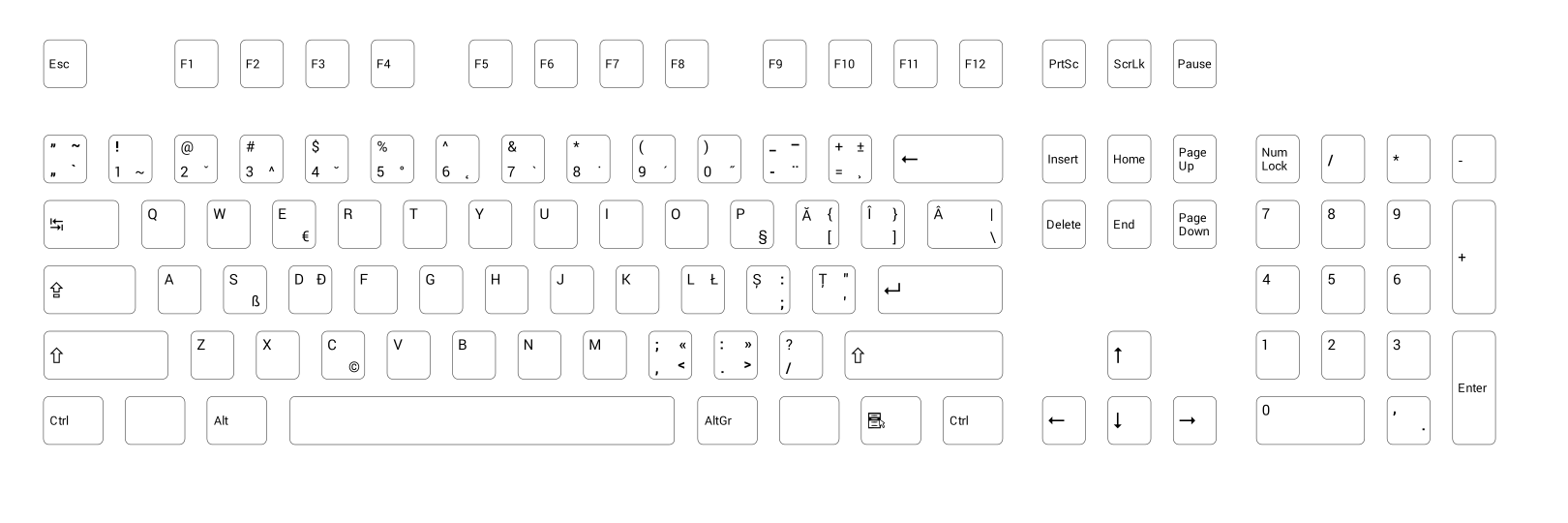
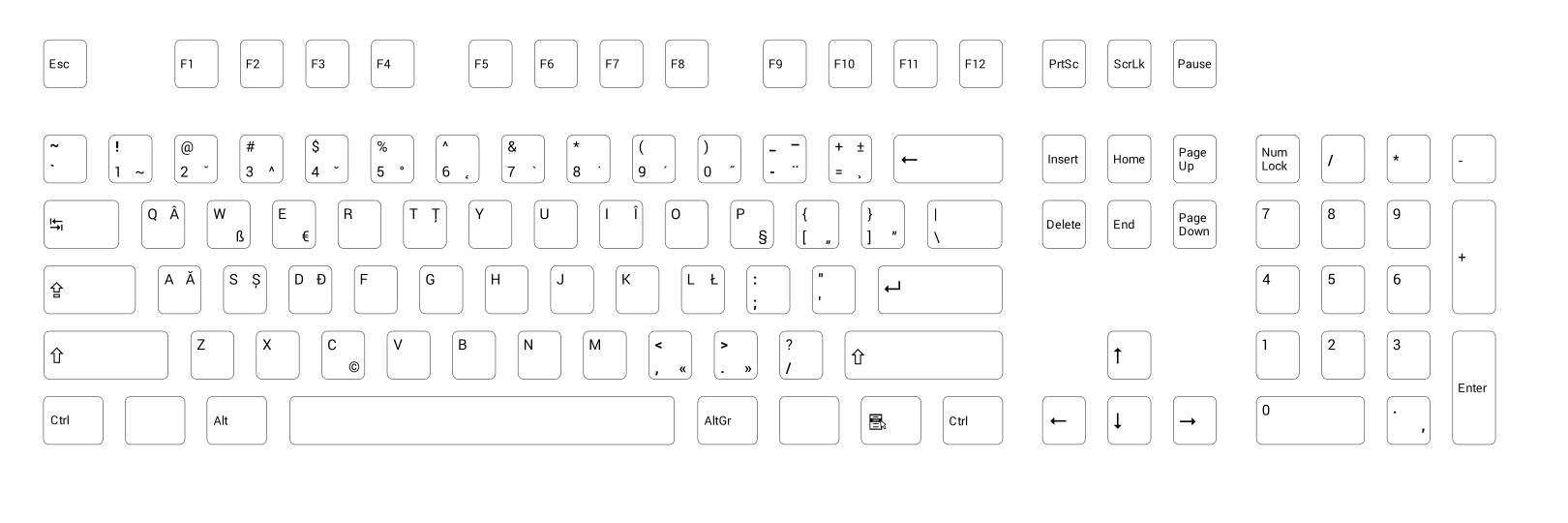
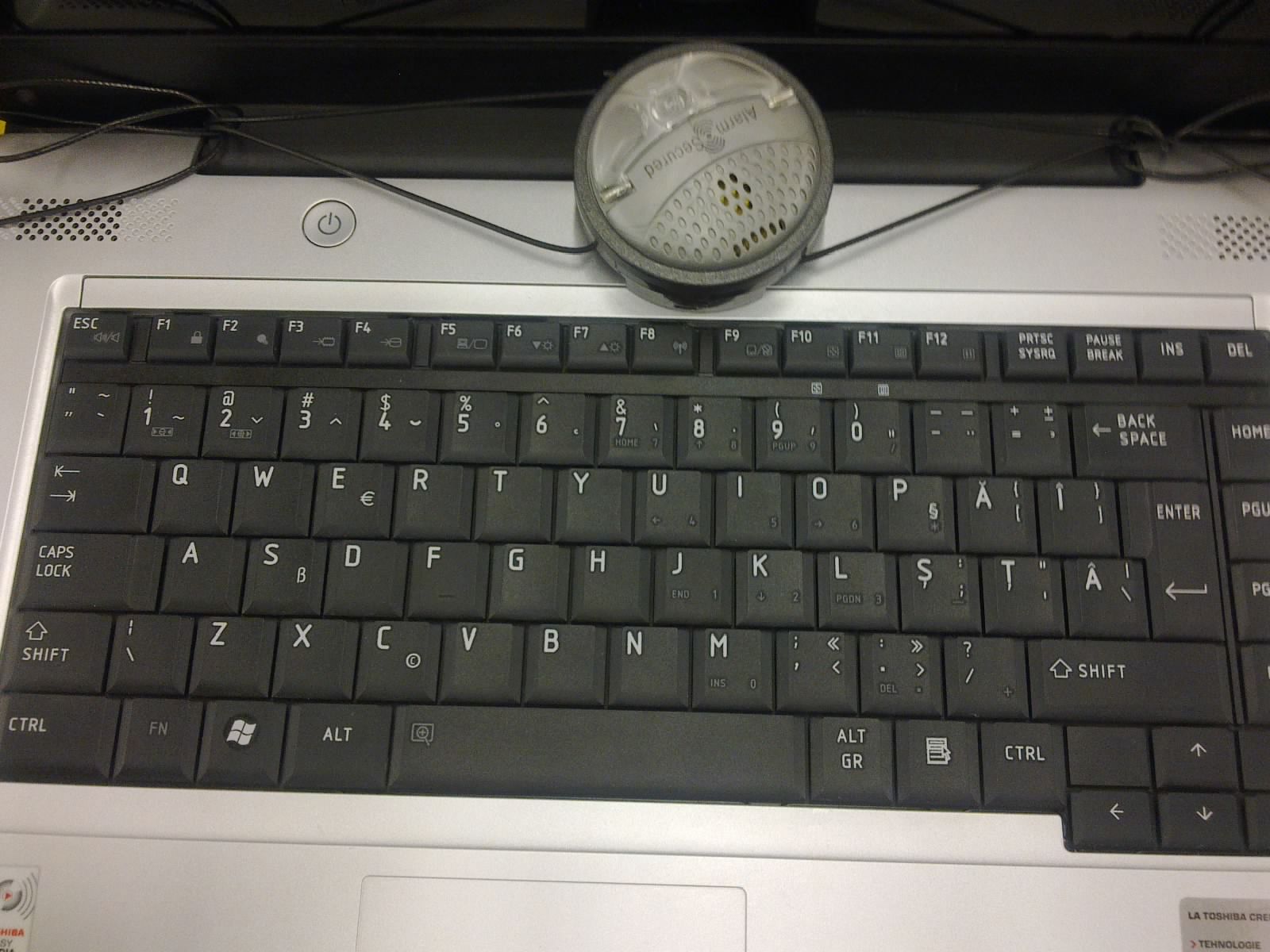
Cherry și Fujitsu/Siemens au produs tastaturi conforme standardului ASRO SR-13392:1998 și în 2011 te-ai aștepta să găsești tastaturi conforme standardului ASRO SR-13392:2004. Laptopuri cu tastaturi s-au mai văzut (Toshiba este singurul exemplu) dar tastaturi pentru PC... nț.

Am fost plăcut surprins să aflu că un producător de talie mondială - DELL - are o ofertă europeană completă de tastaturi, printre care și tastaturi „mioritice”.

Dell are patru tastaturi românești în ofertă:

Tastatura multimedia 580-13630 (QWERTY)  
Tastatura normală 580-14797 (QWERTZ)
Tastatura multimedia extra 580-14246 (QWERTY)
Tastatura normală 580-15060 (QWERTY)
Din păcate tastaturile au poze generice și nu se poate observa ce aranjament este folosit. Trei din ele menționează faptul că ar fi QWERTY - adică respectând noul standard. Singura metodă de a afla a fost să comand o tastatură.

Tastaturile pot fi comandate doar telefonic de la Dell, respectiv de la distribuitorii Dell din țara în care locuiți. Pentru Germania numărul de telefon este: 0 800 33 55 66 1, apelul fiind netaxabil. Teoretic o tastatură românească poate fi obținută în două săptămâni în orice țară în care Dell vinde calculatoare.

Am comandat tastatura normală 580-14797 (22€), dar deoarece în descriere era menționat faptul că ar fi aranjamentul vechi (QWERTZ), am schimbat comanda pentru tastatura multimedia extra 580-14246 (33€)

Din păcate aranjamentul este tot cel vechi, chiar dacă în descriere este menționată descrierea QWERTY, precum se vede din poza de mai jos:


În poză nu se observă cele două porturi USB, foarte utile când avem de-a face cu memorii portabile USB sau cu noile telefoane cu alimentare prin cablul USB.

Am contactat telefonic Dell și le-am comunicat faptul că există o problemă cu descrierea produsului. Din păcate Dell nu are în ofertă tastaturi cu noul standard. Vânzătorul a fost surprins să afle că aranjamentul oferit este vechi. Pentru necazul provocat Dell mi-a făcut cadou tastatura!

Am obținut gratis o tastatură de 33€, o tastatură de care nu am nevoie și sunt dispus să o donez cuiva căreia i-ar fi folositoare.

Producătorii de calculatoare ar avea de câștigat din vânzarea tastaturilor compatibile cu „Windows 7”, respectiv conforme standardului ASRO 13392:2004.

Dragi producători ne-am săturat de tastatura Microsoft „Legacy”!

P.S. Statele Unite ale Americii

Se pare că tastatura 580-14246 are un alt cod în Statele Unite ale Americii și anume W316D. Pe ebay se poate cumpăra o tastatură W316D la numai $19,95.

P.P.S. Alți producători

Și firma Lenovo, firmă care a achiziționat divizia de calculatoare de la IBM în anul 2005, are în ofertă tastaturi românești.

Oferta conține cinci tastaturi:
IBM Enhanced Performance USB Keyboard (Business Black) - Romanian 446 73P2644
ThinkPlus Preferred Pro USB Fingerprint Keyboard - Romanian 446 73P4754
IBM Enhanced Performance USB Keyboard (Business Black) - Romanian 096 73P2645
Lenovo USB Smartcard Keyboard - Romanian 51J0182
Lenovo USB Smartcard Keyboard - Romanian 51J0183

Tastatura ThinkPlus Preferred Pro USB Fingerprint arată astfel:

Putem doar specula faptul că „Romanian 446” vine de la standardul IBM KBD446.

Și firma HP are în ofertă cel puțin o tastatură românească, și anume „HP 2004 Standard Keyboad USB RO” DT528A#AKE. Se poate găsi la Amazon DE la prețul de 19,49€

Tastatura DT528A arată astfel:
Cu siguranță avem de-a face cu o tastatură „Legacy” deoarece în descrierea de pe pagina Amazon UK este menționat la sistemul de operare „Microsoft Windows 2000 / XP”.

Actualizare: (Sep 2013) HP are în ofertă începând cu Feb 2011 modelul HP 537746-271, se poate găsi la Amazon DE la prețul de 39€. Poza de pe Amazon DE arată exact la fel ca poza de mai sus  modelului DT528A#AKE.

Și firma Acer oferă tastaturi românești:

Keyboard Romanian 105-key USB KB.USB0B.073
Keyboard Romanian 105-key Wireless KB.RF403.057
Keyboard Romanian 105-key RoHS USB KB.KUS03.260
Keyboard Romanian 105-key Black USB KB.USB03.092
Keyboard Romanian 105-key Black PS2 KB.PS20B.005
Power Series SK50 KB.6880B.075

Aspire Z5600 KB.RF403.274
Aspire X3600 KB.KUS03.260

La tastaturile Acer nu am putut găsi detalii despre aranjamentul folosit, cel mai probabil avem de-a face de asemenea cu aranjamentul „Legacy”.

Actualizare:  firma Fujitsu are în ofertă o tastatură conformă cu standardul românesc, pentru mai multe detalii mergeți la: Tastaturi românești II.

2011-05-23

Android is the new Windows Mobile

Firstly please excuse me for stating the obvious. I've reached the above conclusion after seeing Android ports of two Windows Mobile programs.

Windows Total Commander has a beta version for Android. Total Commander for Windows Mobile is a nice addition to the native File Explorer, one feature I use often is the Registry Editor. On the desktop I use Total Commander daily, and I feel like missing one hand when I have to operate on desktops without it.

The second application with an Android port (and also an iPhone port) is Birdie Sync, which allows synchronization between your mobile phone and Mozilla Thunderbird / Sunbird.

It's nice to see that these applications are brought to life on a different platform. What Windows Mobile applications ported to Android have you encountered?

2011-05-04

Thank you Google!

Google has finally fixed the Droid font family with regard to Romanian language (reported as a bug here). The font family can be downloaded from here, and more information about the release can be found here.


What came as a surprise was the fact that Google Web Fonts had proper Romanian support for Droid font family. This was not the case in the past, and still not the case for other font families like Ubuntu (reported as a bug here)


Thank you Google! (I would have welcomed a comment in the bug report though)

P.S. Google Web Fonts are not yet updated to cope with Romanian language. The picture above shows what one should expect (also when the font is installed in the system), and below is what one will really get.

2011-02-27

Thank you Amazon!

In this post I'm focusing on Kindle for PC running on Windows XP and the Romanian language.

Windows XP has been able to display correct Romanian characters after Romania joined the European Union in 2007, and it can do this after installing the European Union Expansion Font Update.

Here is a screenshot of Kindle for PC 1.2.1 displaying a book on Windows XP:


Here is a screenshot of Kindle for PC 1.3.0 displaying the same book:


Noticed the squares? They are there because Amazon changed the font (which cannot be changed by user) from Times New Roman to Georgia. Unfortunately Microsoft has not included an updated version of Georgia in the "European Union Expansion Font Update".

Here is a list of options for fixing this squares problem:
  1. Upgrade from Windows XP to a newer Windows operating system
  2. Report the problem to Microsoft and hope for a new version of  "European Union Expansion Font Update"
  3. Report the problem to Amazon and hope for a new version of Kindle for PC

The first option is not always feasible due to old hardware or lack of budget for newer Windows operating systems.

The second option could have worked in 2007, but not in 2011. I'm saying this because the first version of "European Union Expansion Font Update" was dated 8 December 2006 and included font updates for Arial, Times New Roman, and Verdana families. The second version is dated 1 May 2007 which also added the Trebuchet font family to the updated font list.

The third seems the most "doable" of them all. And it was.

Here is a screemshot of Kindle for PC 1.4.1 running on Windows XP:


Amazon reverted the reading font to Times New Roman. Thank you Amazon for listening! (although feedback like "We fixed your problem in version x.y.z" would have been welcomed)

2011-02-09

Reusing bits

I was cleaning my projects directory and I have stumbled upon a small piece of code which I thought might interest others.

The small piece of code was about changing a private data member from outside the object, using normal C++, without using reintepret_cast or hacks like #define class struct


#include <iostream>

class Pi
{
    double pi_;
public:
    Pi() : pi_(3.1514f)
    {
    }

    double GetValue() const
    {
        return pi_;
    }
};

struct Pie
{
    double pie_;
};

int main()
{
    using std::cout;
    using std::endl;

    Pi pi;
   
    cout << "Pi: " << pi.GetValue() << endl;

    Pie* p = new (&pi) Pie;
   
    p->pie_ = 4.0f;

    cout << "Pi: " << pi.GetValue() << endl;
}

I have highlighted the line which does the trick. This trick is called placement new.